Download the client
Download the Android app (beta)
- Open this page in your phone browser Use Chrome. Inside TikTok or Facebook open the menu and choose "Open in browser" first, otherwise the download may not start.
- Download and open the APK Android will ask you to allow installing apps from this source. That is normal for apps from outside Google Play.
- Start Riftfall and wait The game data is downloaded once, on the first start.
- Create an account and a character Tap "Create account" on the login screen. It opens this website, where you create the account and then a character. Log in with the ACCOUNT name and password.
Looks like you are on a phone.
The client runs on a Windows PC and is a large file. Copy this page link and open it on your computer.
How to start in 4 steps
- Download and unpack Unpack Riftfall Client.zip to any folder (do not run it from inside the ZIP).
- Run the client Start Riftfall Client GL.exe. If it does not start or the screen stays black, use Riftfall Client DX.exe instead.
- Let it update The client checks and downloads updates before login. Wait until it finishes.
- Log in and pick your character Use the ACCOUNT name and password from this website (not the character name). No character on the list? Characters are created on the website, not in the client: create a character. First steps are in the Wiki.
Something went wrong?
Windows shows a SmartScreen warning
Windows may warn you the first time you run a program from a small server. If you downloaded the client from this page, choose "More info" and then "Run anyway".
The client does not start or the screen is black
Try the other executable (GL or DX). Make sure the ZIP is fully unpacked and update your graphics drivers.
I cannot log in / the character list is empty
Check the account name and password (the account name is not your character name). An empty list means you have no character yet - create one on the website (My account > Create a character). You can recover the account here: Lost account.
Boosted creatures
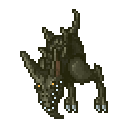
Silencer
has more HP: +20% HP
has more HP: +20% HP
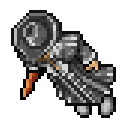
Falcon Paladin
drops more loot: +20% loot
drops more loot: +20% loot
Support Riftfall
Like what we are building? You can buy the team a coffee. Support is voluntary.